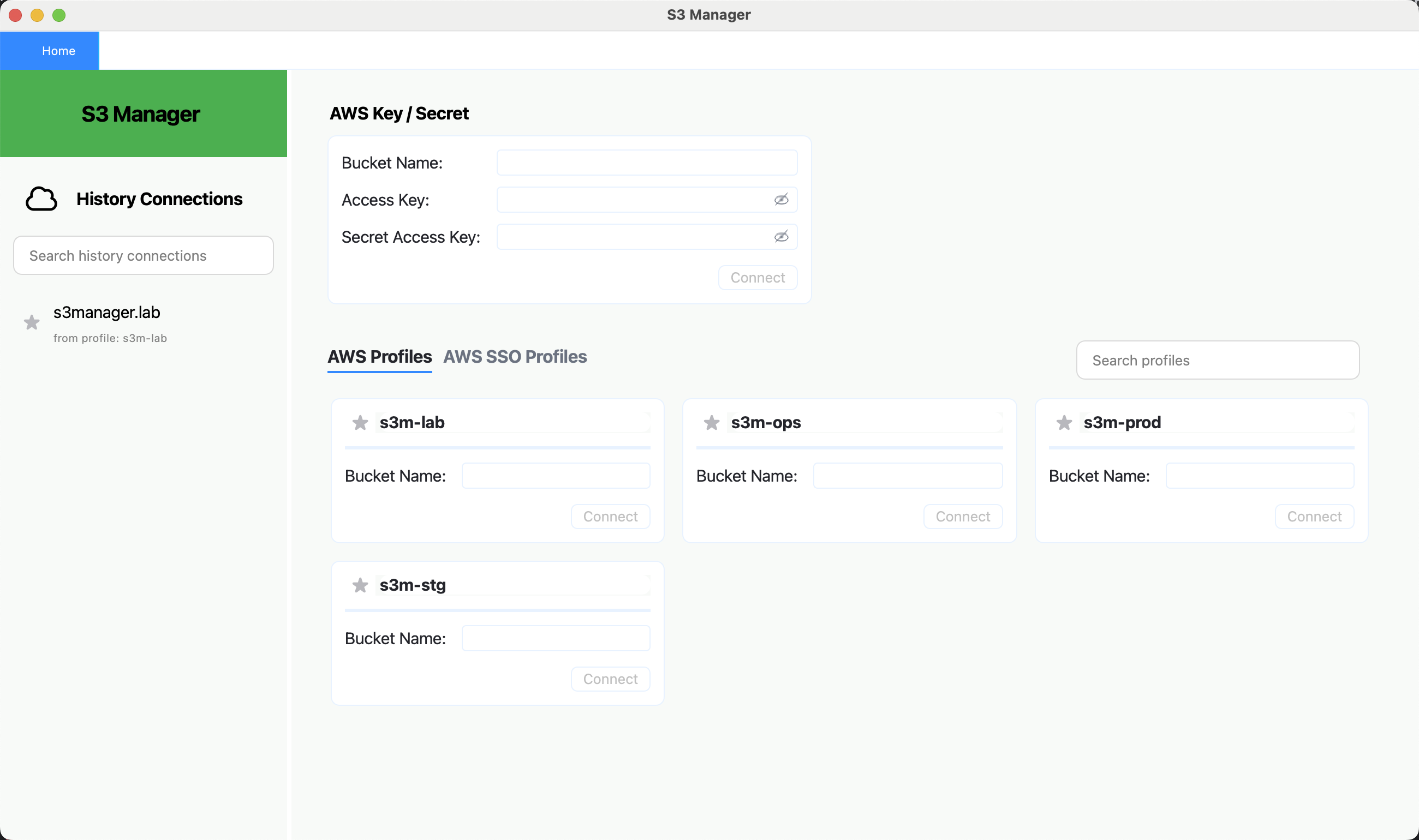
Connect with AWS profiles, AWS SSO, or access keys. Browse buckets, preview objects, inspect bucket and object properties, drag and drop files for upload, and run uploads or downloads in parallel from a focused desktop UI. Start with a 180-day free trial.
Get Started TodayS3Manager is a desktop tool for developers, DevOps engineers, and cloud teams who work in Amazon S3 every day. It is built for real operational workflows: switching across buckets and accounts, browsing large prefixes, previewing objects before download, and tracking transfers without dropping to the CLI for every routine task.
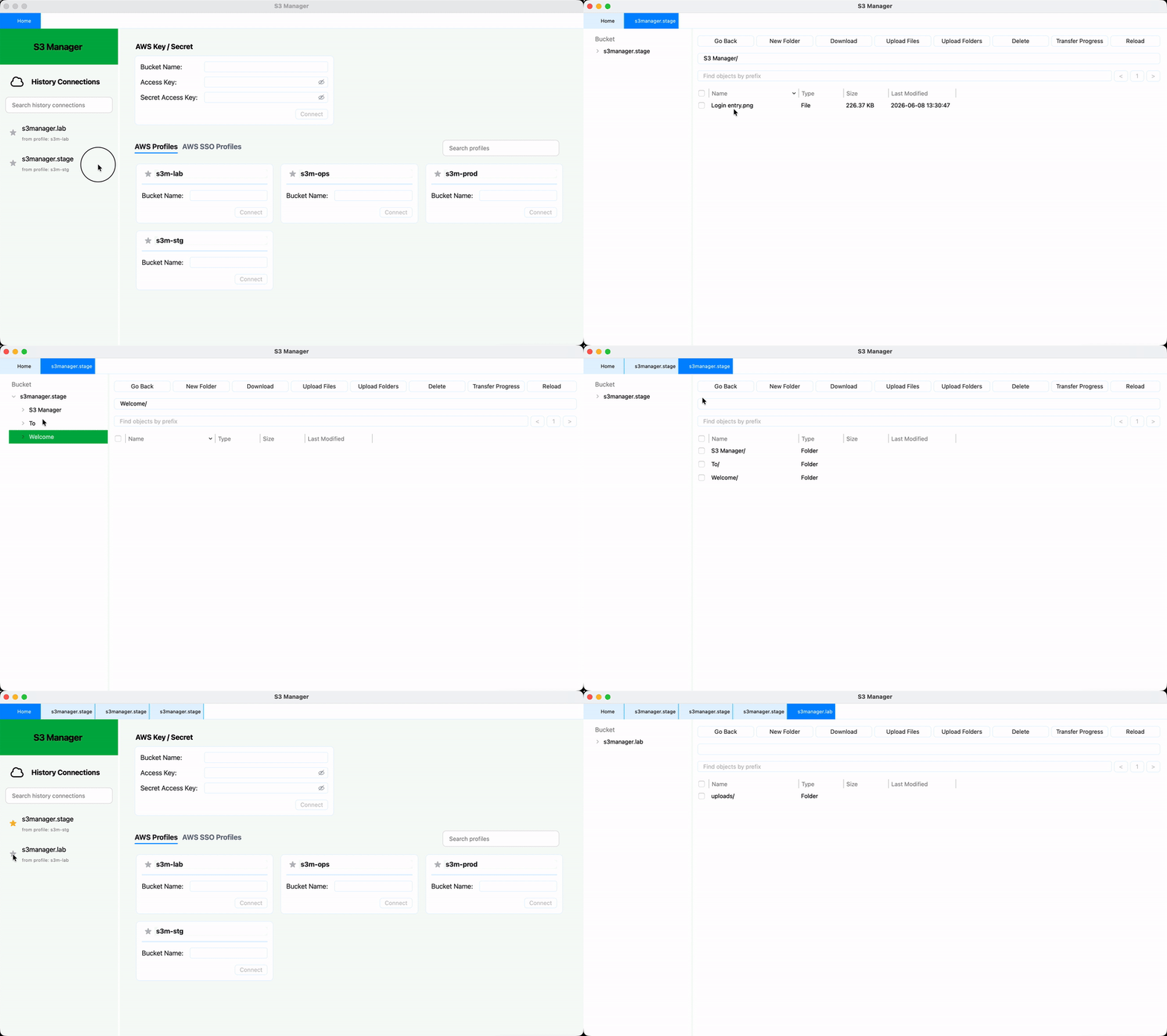
Open and manage multiple buckets simultaneously. Instantly switch between buckets without reconnecting.
Connect with access keys, standard AWS profiles, or AWS SSO profiles. The app watches local AWS config and credential changes and refreshes profile-based sessions automatically.
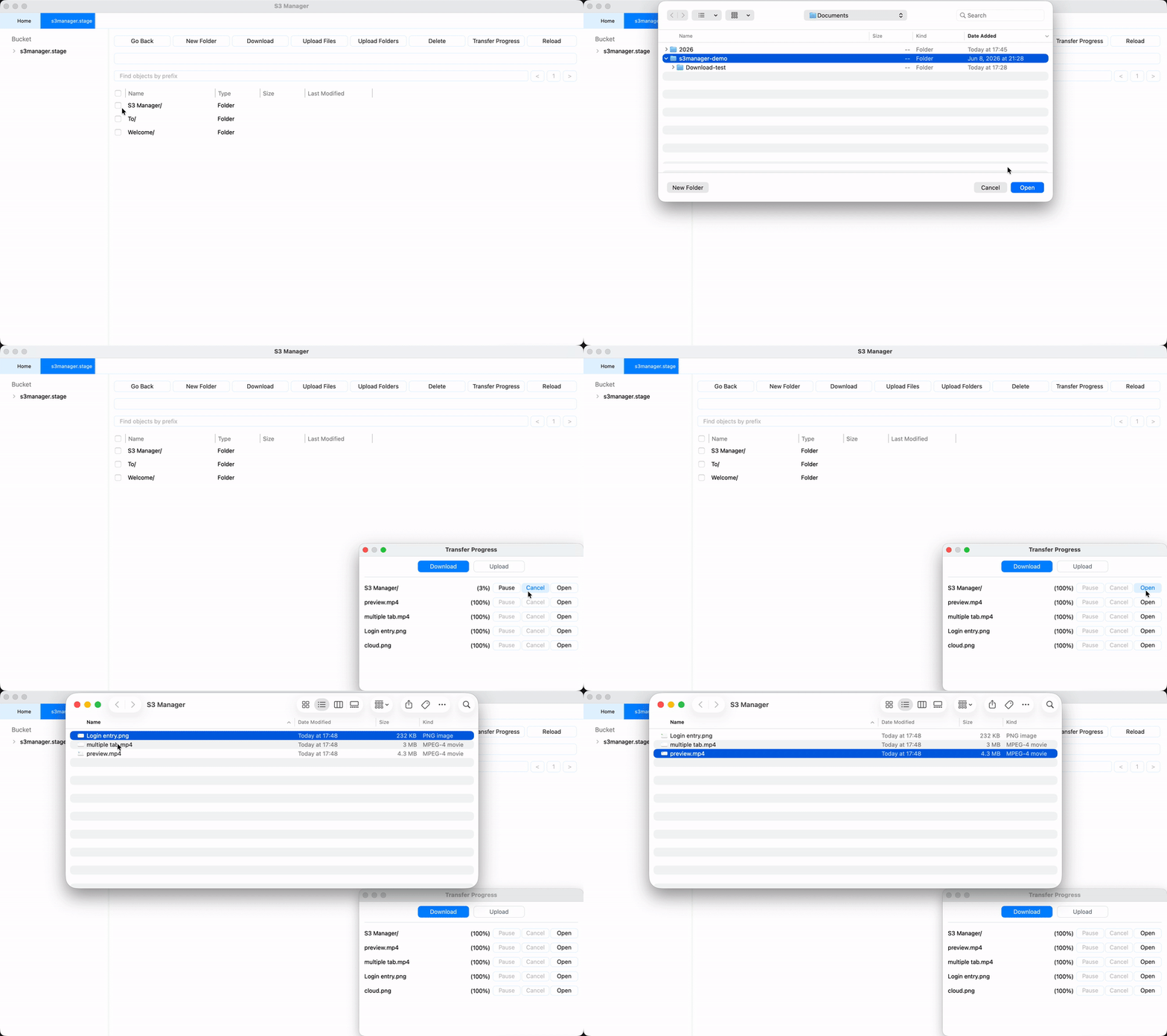
Upload files or folders, including drag-and-drop uploads, and download multiple objects concurrently with transfer history and live progress tracking.
Track your uploads/downloads in real-time with pause, resume, and cancel options.
Browse and manage folders and files in a tree-view UI, click to navigate to subdirectories.
Quickly reopen previous bucket connections, search them by keyword, and pin frequently used profiles or connections to the top.
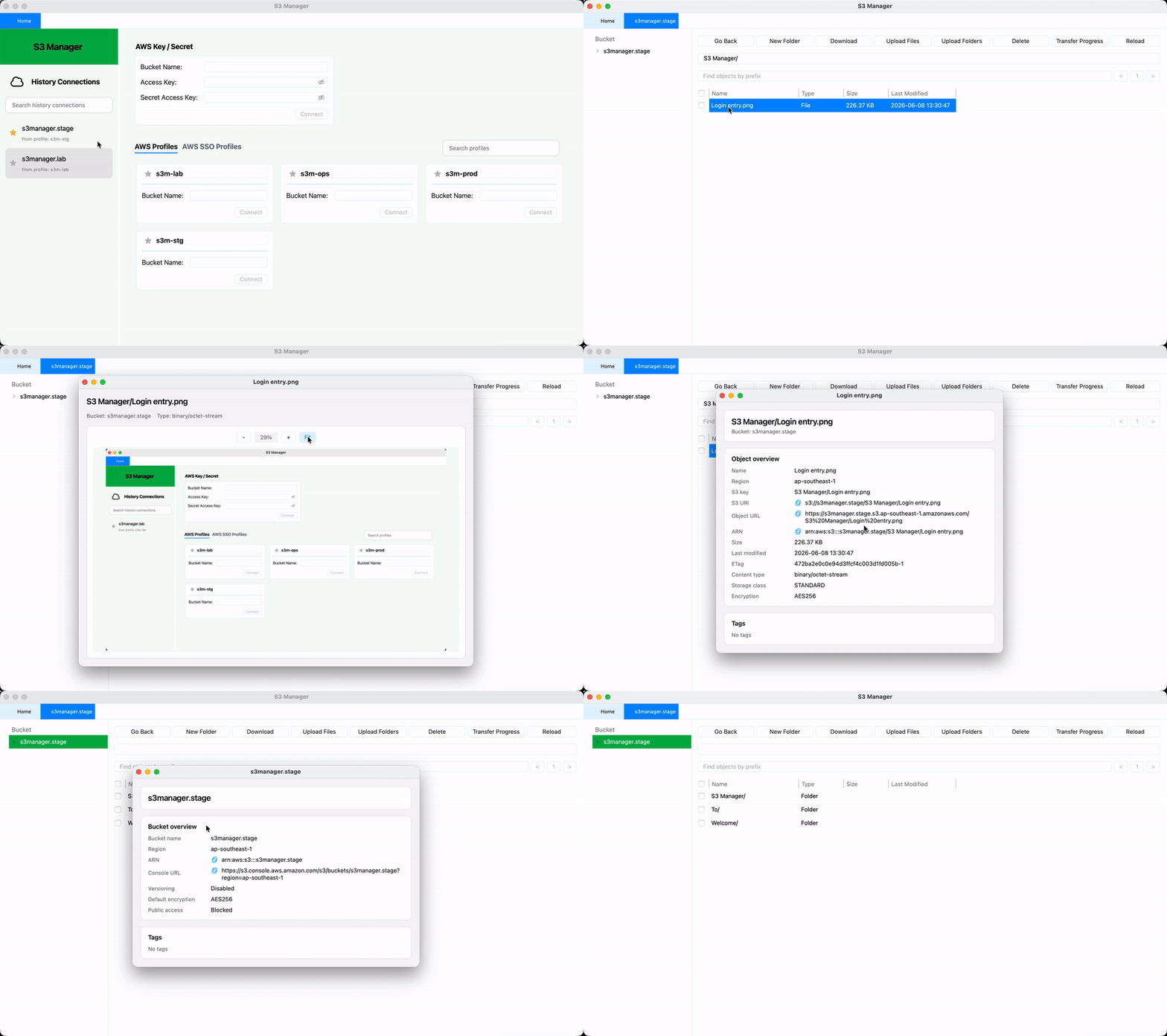
Open text files, images, animated GIFs, and PDFs in a separate preview window before downloading them locally.
Inspect object overview details like S3 URI, ARN, region, tags, and bucket settings from dedicated property windows.
Filter by prefix, navigate with tree view and folder rows, and use double-click or context menus to move through buckets quickly.
Rename, delete, create folders, inspect transfer history, and keep multiple working buckets open in tabs without leaving the desktop app.
Start managing your S3 buckets today. Choose the installer that matches your platform.
Start with a 180-day free trial, then choose the plan that fits your workflow.
$9.99 / 6 months
$14.99 / year
S3Manager is temporarily offering a 180-day free trial for both macOS and Windows while Apple Developer Program enrollment is being resolved. Apple has indicated that the enrollment cannot currently proceed, so macOS code signing and notarization are temporarily unavailable. Subscription checkout is disabled during this period and will be reopened after signing is completed.
If macOS blocks the app after download, move S3Manager to Applications and run this command in Terminal to trust the local app:
xattr -dr com.apple.quarantine "/Applications/S3 Manager.app"S3Manager watches your local AWS credentials, config, and SSO cache. When profile-based or SSO-backed credentials are refreshed locally, the app reloads them so you can continue working without reconnecting manually.
Yes. S3Manager supports multiple AWS profiles and AWS SSO profiles, and you can open different buckets in separate tabs. Each connection is labeled with its login method so it is easy to keep environments straight.
Yes. S3Manager currently includes a temporary 180-day free trial for both macOS and Windows while Apple Developer Program enrollment is being resolved and macOS signing is unavailable. Subscription checkout is disabled during this period, so you can evaluate bucket browsing, AWS profile and SSO connections, object preview, and transfer workflows before paid plans reopen.
S3Manager handles files of any size supported by Amazon S3. For large files, the app automatically uses multipart uploads and provides real-time progress tracking. You can pause, resume, or cancel transfers at any time.
S3Manager works with your local AWS configuration, AWS SSO sessions, or the access keys you provide in the app. History and transfer records are stored locally for convenience, while sensitive access key credentials used for saved key-based connections are stored through the operating system's secure credential store instead of plain text history files.
Checkout is not ready yet. Subscription purchase will be enabled soon!